Integrations overview
This page lists what you can connect to OhPlayer and which plan each connection needs.
Click Integrations in the sidebar. The page groups seven integrations into three sections. Click a card to open its setup page. A card shows Connected once data has flowed, Needs attention if the last delivery failed, or Set up if you have not started. A Pro badge marks integrations that need Pro.
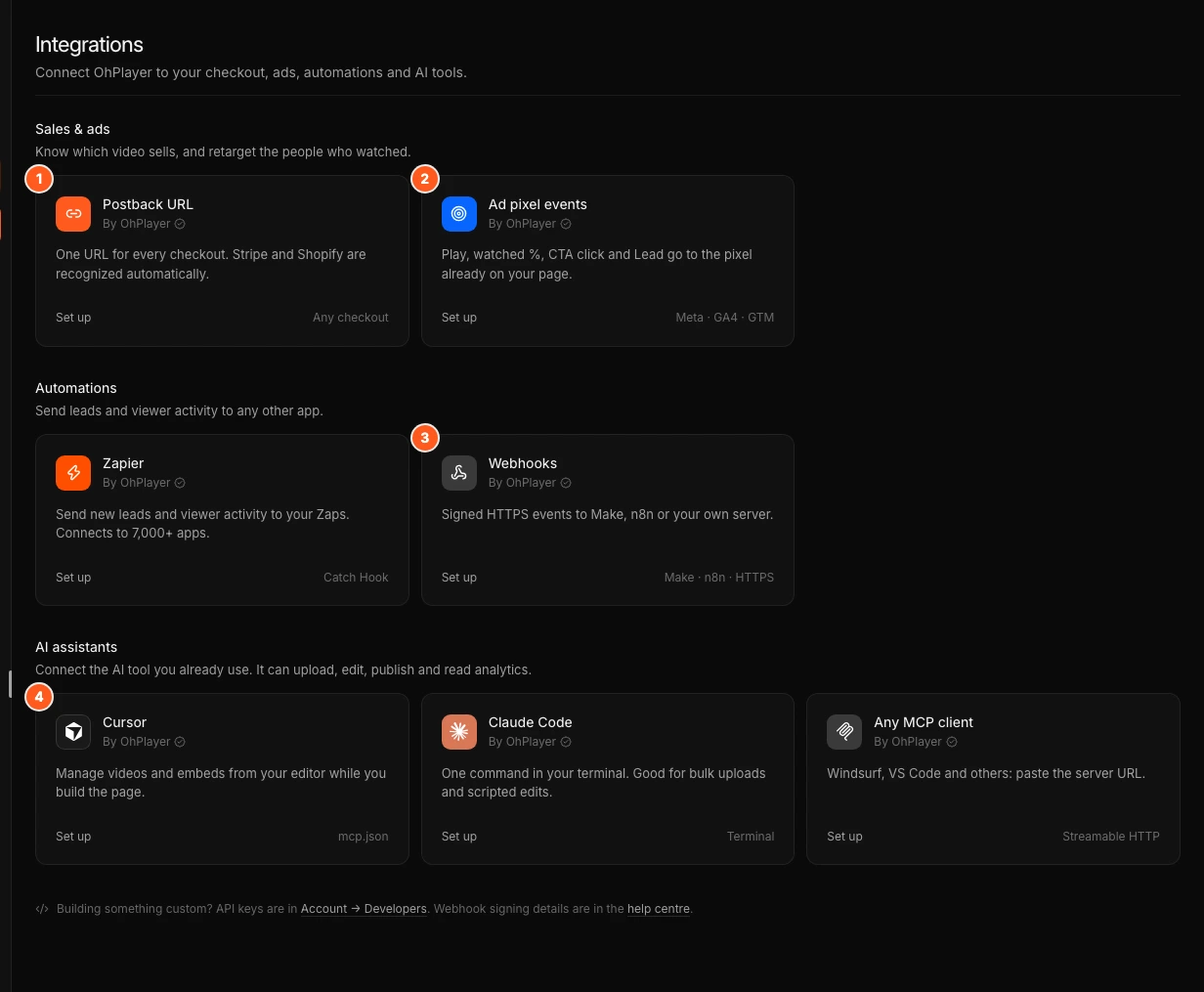
What you can connect
| Integration | Section | Plan | What it does |
|---|---|---|---|
| Postback URL | Sales & ads | Pro | Adds paid orders from your checkout to Analytics, credited to the video that sold. Stripe and Shopify are recognised automatically. See Track sales per video. |
| Ad pixel events | Sales & ads | Lite and Pro | Sends play, watched %, CTA click and lead events to the Meta Pixel, GA4 or Google Tag Manager already on your page. See Ad pixel events. |
| Zapier | Automations | Pro | Starts a Zap for each new lead or viewer event. See Zapier. |
| Webhooks | Automations | Pro | Sends signed events to Make, n8n or your own server. See Webhooks. |
| Cursor | AI assistants | Lite and Pro | Lets Cursor list your videos, read analytics and publish. See Connect an AI assistant. |
| Claude Code | AI assistants | Lite and Pro | Adds OhPlayer to Claude Code with one command. |
| Any MCP client | AI assistants | Lite and Pro | A server URL for other tools that support MCP, such as Windsurf or VS Code. |
Lite and Pro
Postback URL, Zapier and Webhooks are Pro features. On Lite their setup pages explain the feature and offer Upgrade to Pro. If you move from Pro to Lite, OhPlayer keeps your connections but pauses them. Nothing is sent until you upgrade. Sales keep being recorded, but Analytics shows only the number of orders.
Ad pixel events and the AI assistant connections work on every plan.
Which one should I use?
- To see revenue per video, use Postback URL.
- To build ad audiences such as "watched 75% but did not buy", use Ad pixel events.
- To send leads to a spreadsheet, CRM or email tool without code, use Zapier. Make and n8n users can use Webhooks.
- To work on your videos from an AI tool, connect Cursor, Claude Code or another MCP client.
Next steps
Was this page helpful?
Your answer stays in your browser. Nothing is sent to us or to anyone else.